Customer Success SoftwareFaster onboarding. Higher adoption. More renewals.
Onboard customers with dynamic checklists and automated demos, guide them in your app with triggers, and set engagement targets that show who is falling behind. Everything your CSMs need to manage their accounts, in one place.

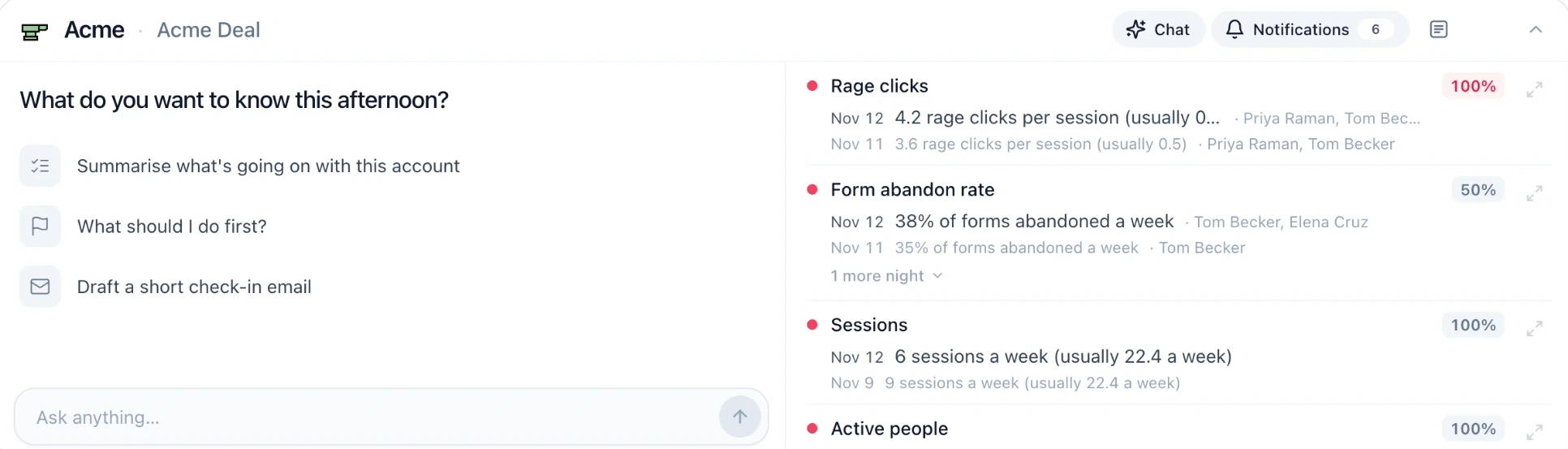


Churn is decided in the first weeks
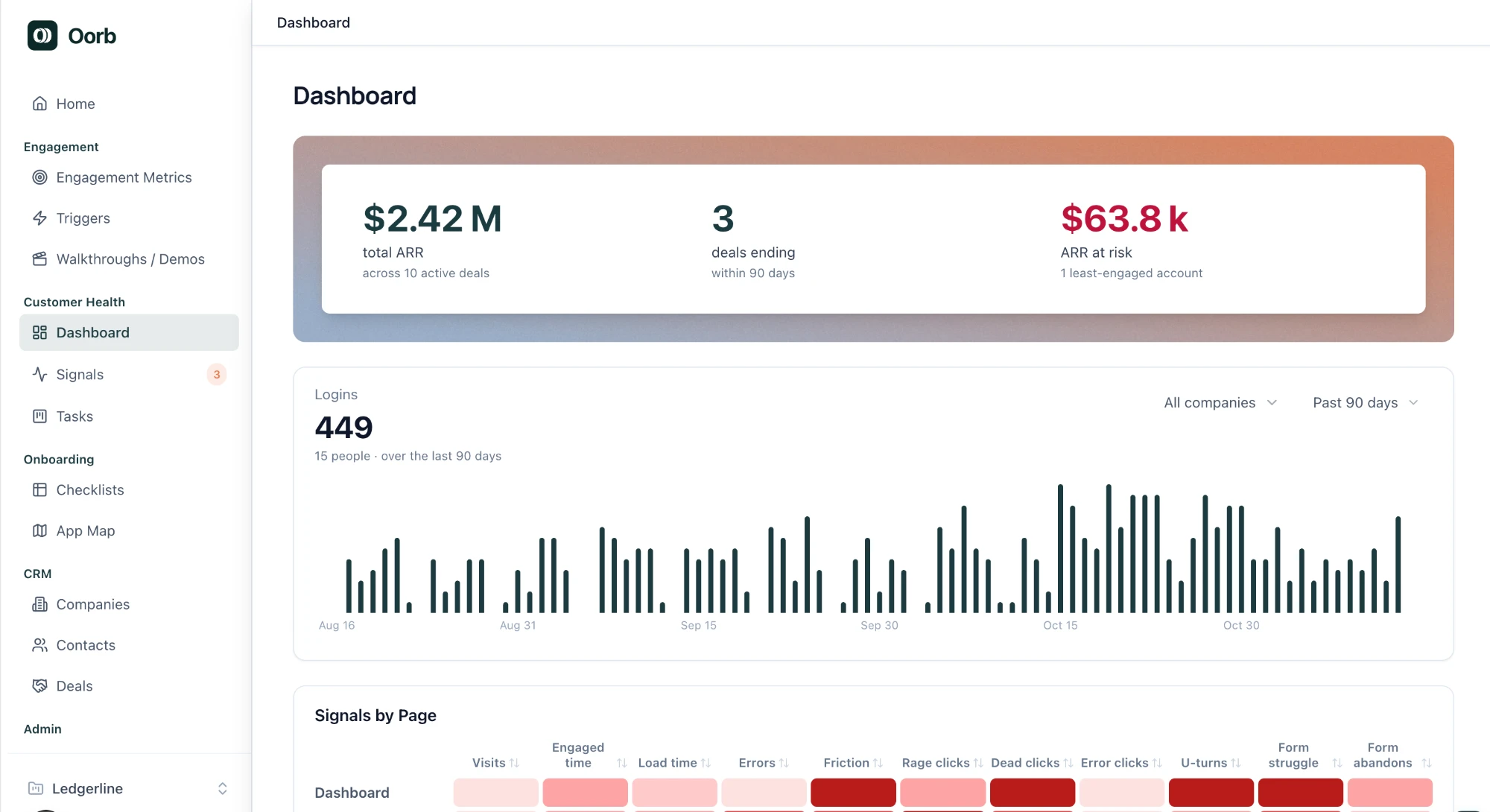
Slow starts churn
Clients who reach your high-value features early stay. The ones who don't are the ones you lose at renewal.
Stuck customers log off
A stuck client emails their CSM, leaves while they wait for a reply, and is hard to bring back.
Early usage is the signal
Hitting those features fast is a good sign; missing them is a warning. Most teams can't see which it is, account by account.
How Oorb scales your Customer Success
Deliver high-touch client outcomes without increasing headcount. Oorb reads every account's usage each night, flags risk early, and turns your team's notes into CRM updates and follow-up tasks.
Faster Time-to-Value
AI-built walkthroughs and demos, with onboarding checklists beside them, take every client to your high-value features in their first weeks.
Learn More: Faster Time-to-ValueIn-App Help, No Waiting
Triggers put your demo or walkthrough on the customer's own screen as they reach a hard feature, so nobody emails a CSM and logs off.
Learn More: In-App Help, No WaitingMilestones & Early Warnings
Set the milestones that mark value, each with a deadline. Oorb shows who has hit them, who hasn't, and which accounts are running into friction.
Learn More: Milestones & Early Warnings
Customer Success Lifecycle: From signed to expanded.
Oorb supports every stage of the customer journey from contract handoff to expansion revenue.

01
Onboarding
Guide every client from signed contract to first value with a checklist they can actually follow, and one record of the company, its people and its deal.
- Checklists from templates
- Client sign-in by email code
- File uploads and answers
- Deadline reminders

02
Engagement
Offer a demo or walkthrough on the customer's own screen as they reach a hard feature, and set the milestones every account should hit.
- Demos and walkthroughs, triggered in-app
- Built by AI from a recording
- Milestones with deadlines
- Who is on track, account by account

03
Customer Health
Usage, friction and adoption, read for every account every night.
- Twenty usage signals
- Alerts against each account's baseline
- Session replay
- A history for every account

04
Renewals & Expansion
Know what is ending and how the account is doing before the conversation starts, and spot the accounts with room to grow.
- Deal terms and end dates
- Usage trend before a renewal
- ARR with your least-engaged accounts
- Seat use and active people
Oorb in action
What your customers and your team actually see.
Help on screen, before they get stuck
Set triggers on the high-value features customers aren't adopting, on any screen or action, and the orb offers your demo or walkthrough right there, inside your app.
Know who's behind, before they churn
Set the milestones that define time-to-value in your app, each with a deadline. Oorb shows who has hit them and who hasn't.
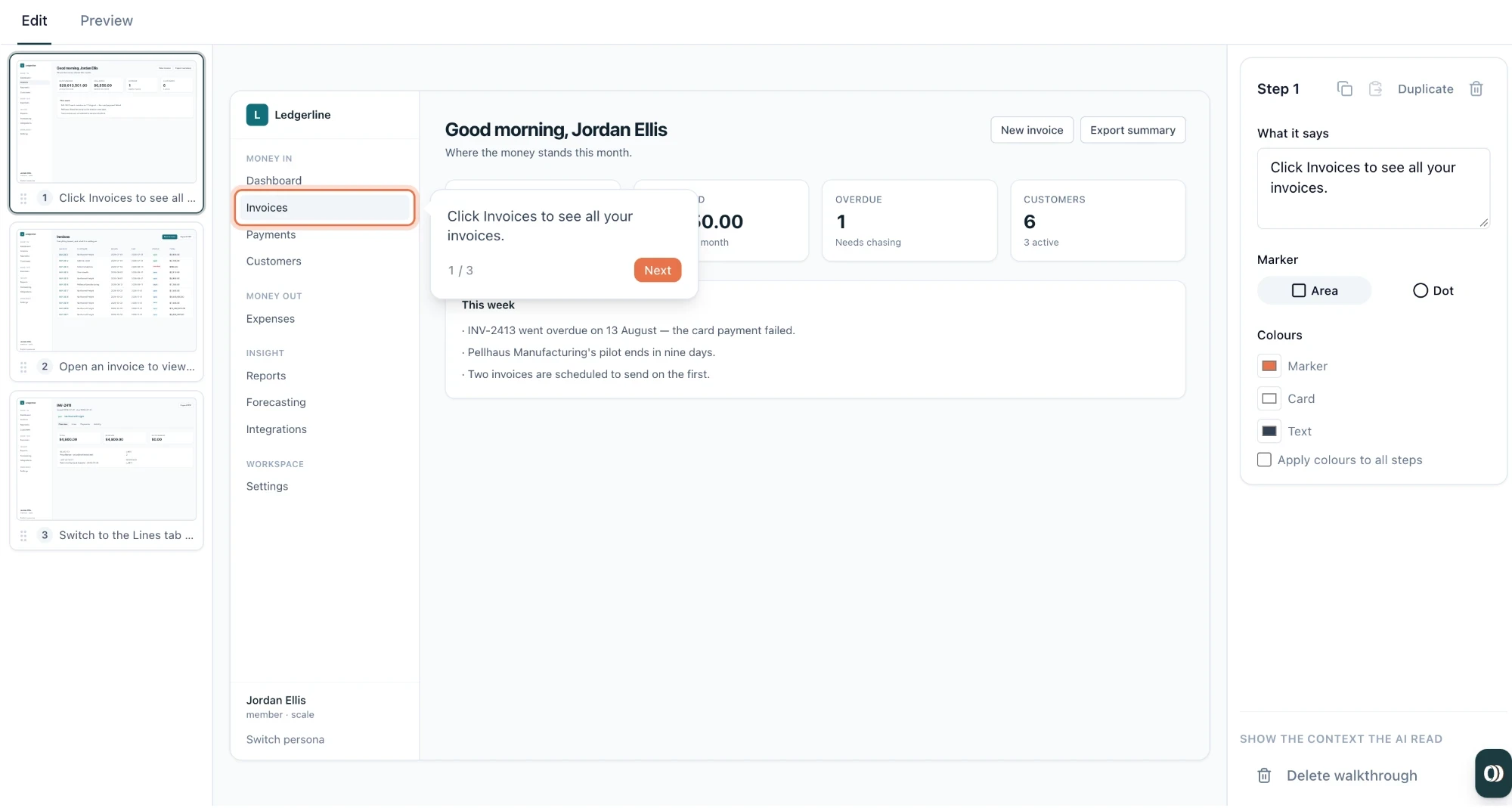
AI-powered Product Walkthroughs and Demos
Use AI to create product walkthroughs and demos. Edit and polish as needed.
And everything else that gets clients to value faster, keeps them unstuck, and shows who is engaged
Explore other features:
- Friction signals
- Templated Onboarding Checklists
- Customer CRM Integrations
- Organized Task Tracking
Frequently Asked Questions
Answers to the questions teams ask first.
FAQs
Everything you need to know about scaling customer onboarding, tracking account health, and staying ahead of renewals with Oorb.
How long does it take to set up Oorb?
Three steps. Add one script tag to your app, or install our npm package. Connect your GitHub repository, and Oorb maps your app's screens from the code. Then begin using Oorb.
How does Oorb integrate AI?
AI is built into every part of Oorb. Ask about any account and get a health summary, recommended next steps or a drafted check-in email. It also builds walkthroughs and demos from a recording, answers your customers' questions inside your app, and turns your team's notes into CRM updates.
How do usage signals and risk alerts work?
A small snippet in your product reports how each account uses it: sessions, feature usage, and friction such as rage clicks and errors. Every night Oorb reads those signals for each account, compares them with thresholds you can tune and with the account's own recent history, and raises an alert when something changes. Every alert shows the numbers behind it. Each deal also carries a health score your team sets.
Is Oorb suitable for both SMB and Enterprise CS teams?
Oorb is built for B2B software teams that run onboarding and renewals themselves. Workspaces have owner, admin and member roles, and each product you connect is its own project. If you have specific security or procurement requirements, tell us when you book a demo.
How is Oorb different from legacy CS tools like Gainsight?
Most teams run two tools: a customer success platform to track account health, and a product adoption tool to guide users inside the app. Oorb brings the best of both into one, and it was built around AI from the start, not fitted with it later. AI builds your walkthroughs, summarises each account and recommends what to do next. Oorb guides your customers through your product, watches the health of every account, and flags trouble while there is still time to act, so clients keep moving and pain points are solved before they become reasons to leave. Built-in task boards keep your team's follow-ups beside the accounts they belong to.
How does Oorb handle our customers' data?
By default the snippet counts events rather than copying content, and typed values never leave the page. Session replay is off until you turn it on, and masks records such as table rows by default. You choose which code repositories Oorb can read, and that access is read-only. For anything specific to your security review, ask us when you book a demo.

Get every client to value, before they have a reason to leave
Oorb helps your customers the moment they're stuck, shows you who is falling behind, and gives your team the time to act on it. See it on your own product.
- Faster Time-to-Value
- In-App Help, No Waiting
- Milestones & Early Warnings